How to help guests find themselves in 1,800 wedding photos
Why face search transforms how guests engage with your wedding gallery, how to set it up, and what to tell guests about privacy so no one feels surveilled.
The short version:
- Face search is just photo grouping. The system recognizes the same person across photos. No tracking, no internet scanning.
- Most guests give up scrolling at minute three. With face search, finding their photos takes 30 seconds.
- Tell guests about it upfront. Three honest sentences in the gallery email is enough.
You took 1,800 photos at your wedding. Your aunt asks if you have any of her with her grandkids. You start scrolling. Three minutes in, you give up and say “I’ll look later.” You don’t look later. She doesn’t get the photos.
This is the problem face search solves. Your guests should be able to tap their face, see every photo they’re in, and download what they want. Without anyone having to scroll through 1,800 thumbnails. Here’s how to make that happen, and how to do it in a way that doesn’t make anyone uncomfortable.
What face search actually does
Strip away the AI buzzwords for a second. Face search in a wedding gallery does one thing. It groups photos of the same person together.
You upload your photos. The system spots faces in each one, figures out which faces are the same person, and creates one folder per person. When a guest opens the gallery, they tap their own face once and the system shows them every photo they appear in. Across hundreds of images, across both the professional shots and the candids, with no manual tagging.
That’s it. No tracking. No “scanning the internet.” It’s a search tool that works on the photos already in your gallery.
If you’re still picking a gallery, the full guide to sharing wedding photos with guests covers what to look for besides face search.
Why hosts love it (and why guests love it more)
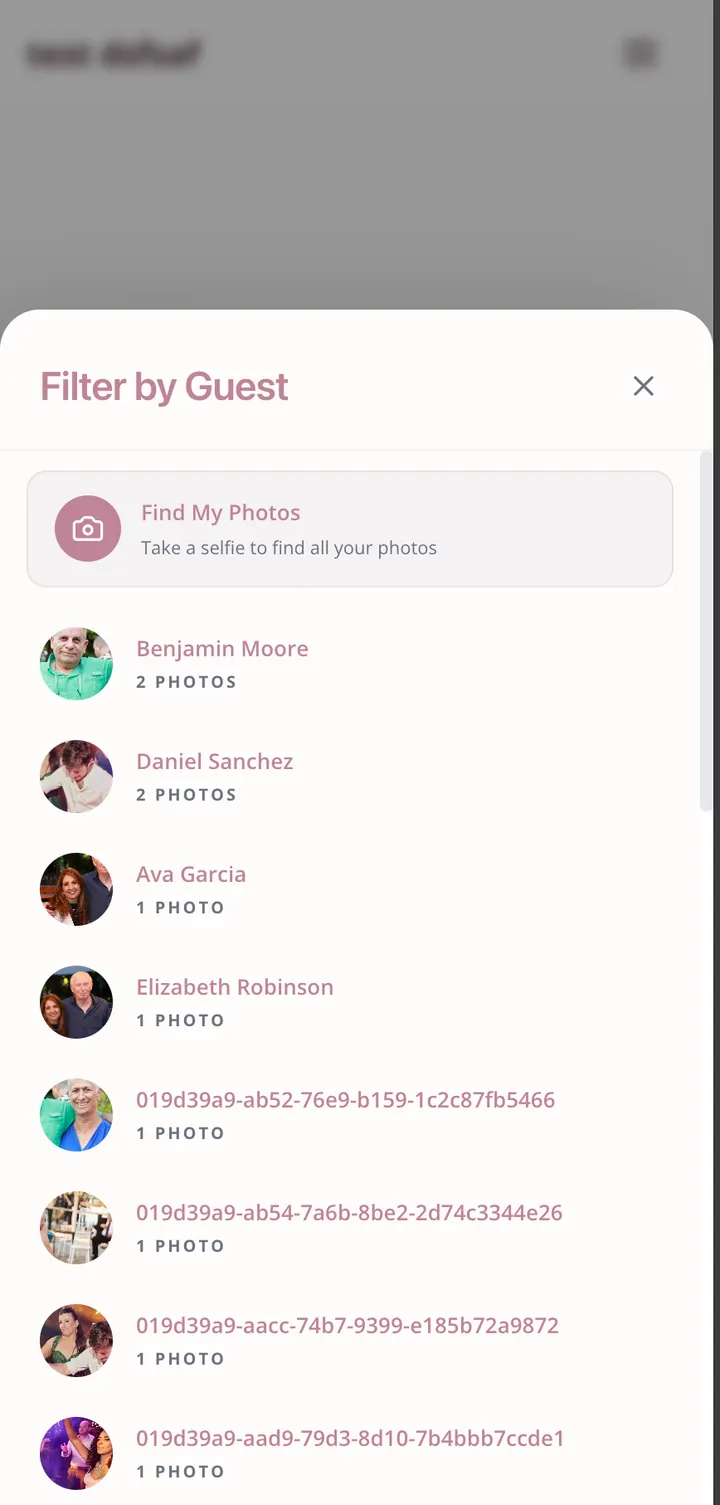
Before face search, the typical guest experience went like this.
- Open the gallery link.
- See 1,800 photos.
- Try to remember roughly when in the day they were photographed.
- Scroll. Lose patience. Close tab.
After face search.
- Open the gallery link.
- See “Find your photos” prompt.
- Tap their own face from a row of group thumbnails.
- See 23 photos of themselves. Download the three they like.
The number of guests who actually engage with the gallery jumps significantly. Older guests benefit the most. They’re the ones who would have given up scrolling.
The privacy conversation, before anything else
Face search makes some guests uneasy. That’s a fair feeling, and you should address it head-on rather than hope no one notices.
A few principles that help.
- Use it for grouping, not surveillance. The goal is “find me in these photos,” not “track me across the internet.” A good gallery never sends face data to advertisers, never matches faces against external databases, and never shares the groups with anyone except the host.
- Make participation transparent. Tell guests in your post-event email that the gallery uses face grouping to make photos easier to find.
- Give an opt-out. Anyone who doesn’t want to be grouped should be able to ask you to hide their face folder, no questions asked.
- Limit who can search. A public gallery where anyone can search by face is different from a private gallery only your guest list can access. Default to private.
Eventimio’s face search keeps all face data inside your event. It’s not used to train anything. It’s not shared with anyone. It exists only to make the gallery findable, and you can turn it off per-photo or per-person at any time.
Setting it up: the actual workflow
The setup feels complicated until you’ve done it once. Then it takes about three minutes per event.
Step 1. Upload your photos.
Upload everything from your photographer in original quality. Most galleries handle batches of a few hundred photos at a time. While you’re at it, ask guests to upload their phone photos to the same gallery. The wedding photo gallery checklist has the full timeline if you want a step-by-step plan.
Step 2. Let the system scan.
After upload, the gallery scans every photo and detects faces. This usually runs in the background. You don’t have to babysit it. A typical wedding gallery (1,500 to 2,000 photos) finishes scanning in 5 to 15 minutes.
Step 3. Review the groups.
The system shows you the people it detected. You’ll see something like “Person 1: 47 photos. Person 2: 38 photos. Person 3: 12 photos.” Skim the groups. They’ll usually be roughly right.
Step 4. Label the people who matter.
You don’t need to label all 150 guests. Just the ones whose names guests will search for. The couple, parents, grandparents, the wedding party. Five minutes of labeling does 80% of the work.
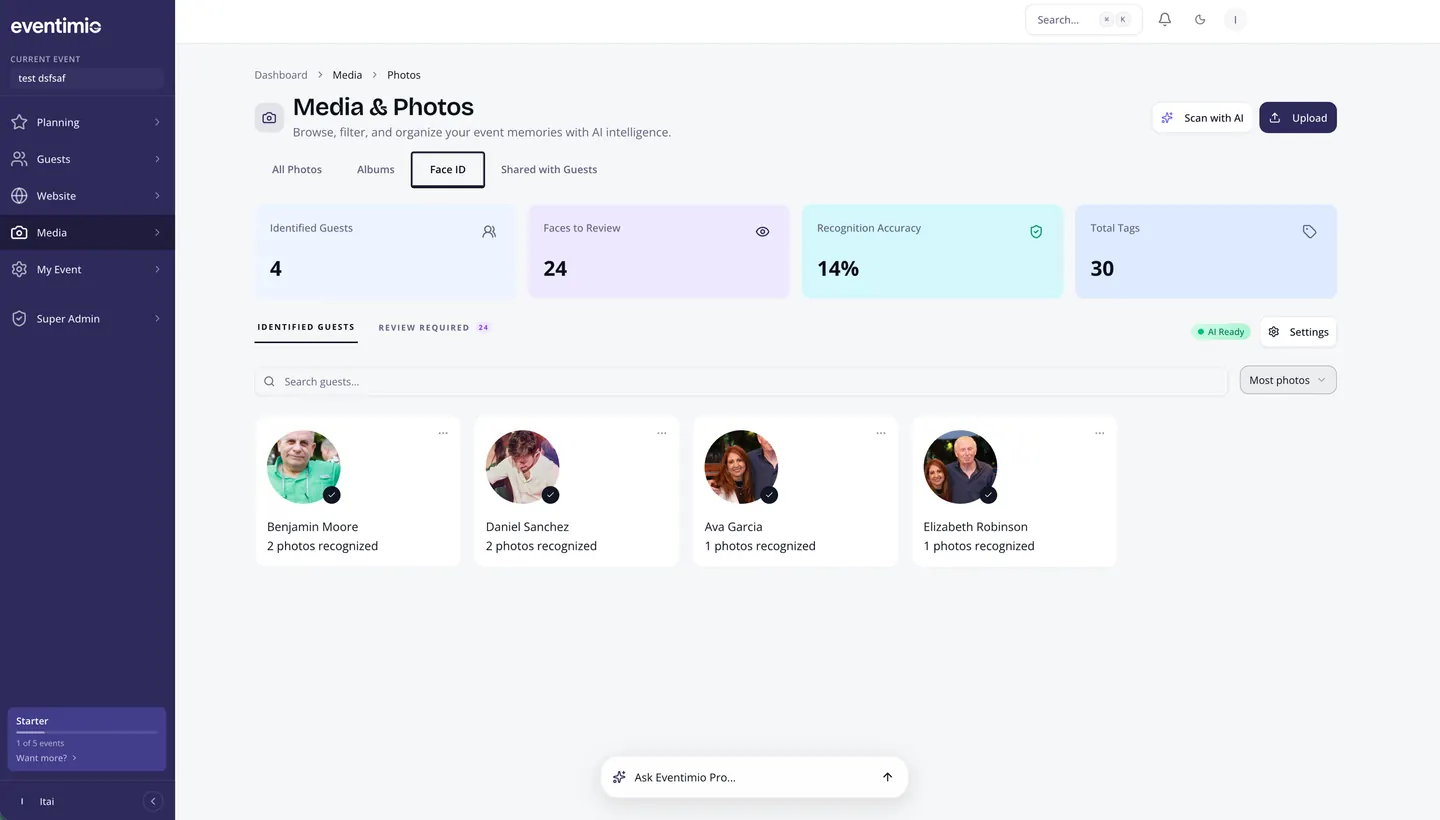
Step 5. Send out the gallery link.
That’s it. Guests open the link, tap “find your photos,” and either select their own face from the unlabeled groups or search by a name you’ve already labeled.
Tips for better recognition
Face search isn’t magic. It works better when the photos cooperate. A few things help.
- Good lighting matters more than camera quality. A well-lit phone photo recognizes more reliably than a dimly-lit DSLR shot.
- Avoid heavy filters. A vintage filter on Instagram is fun. It also confuses face matching across edited and unedited versions of the same photo.
- Give it variety. The system gets more accurate when it sees the same person from multiple angles. One straight-on portrait beats five identical group shots.
- Sunglasses and masks reduce accuracy. Not a deal-breaker, just expect more “unknown” results from the photobooth pile.
When it gets things wrong
It will sometimes. Here’s what to do.
- Two people merged into one group. Click the misidentified photos and move them to a new group. The system learns from this and gets better.
- One person split across multiple groups. Merge the groups. This is common when someone changed outfits between the ceremony and reception.
- Someone you care about wasn’t detected. The system probably saw them but couldn’t link the photos. Open the photos manually and tag them once. Future photos of that person will link automatically.
Five minutes of cleanup turns a 70% accurate gallery into a 95% accurate one.
What to tell your guests
Send them three sentences in the gallery email.
“The gallery uses face grouping so you can find your photos in seconds. Just tap your face and download what you like. Nothing is shared with anyone outside the gallery, and you can ask us to hide your face folder anytime.”
That’s enough. Most guests appreciate the heads-up. The few who have concerns will reply. The rest will just enjoy finding their photos in 30 seconds instead of 30 minutes.
The before-and-after that matters
Without face search, a wedding gallery is a giant pile of memories that mostly stays unopened.
With it, the gallery becomes the place every guest visits at least once, finds themselves, downloads the shots they love, and remembers why they were there.
That’s the whole point of taking the photos in the first place.
Want to feel it before you commit? Try our demo gallery and search by face. Two clicks and you’ll see why guests stop scrolling and start downloading.